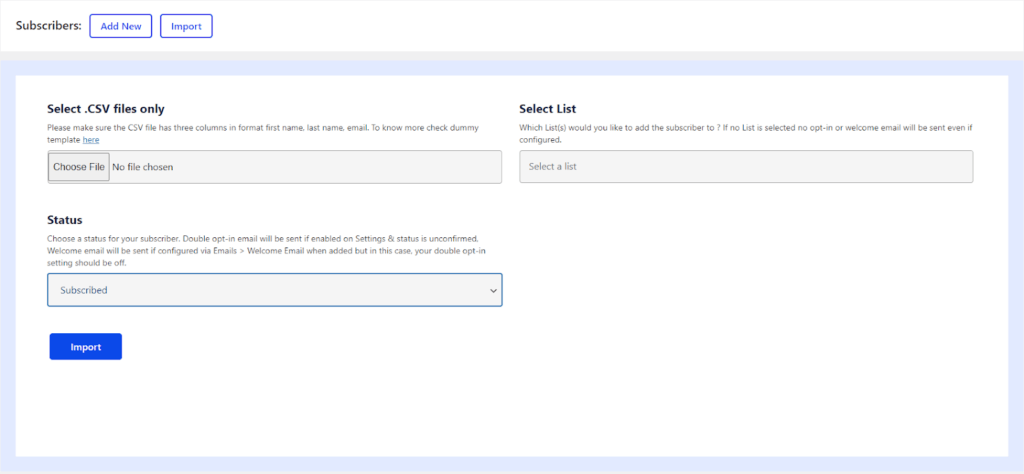

Elemailer gives you the option to Import your existing subscribers via CSV. Most of the platforms provide CSV export.
To import subscribers to Elemailer follow the steps below.
- After you go to Elemailer > Subscriber > Press Import button.
- Here, also fill in the Status and Select List details.
- Additionally, in the Select .CSV files only – Choose a file from your PC and upload. (A .CSV file, also known as comma-separated values is a simple text file in which information is separated by commas, and is common in spreadsheet apps.)
- Click on Import and wait until the import is finished and you are redirected to the subscribers page.